

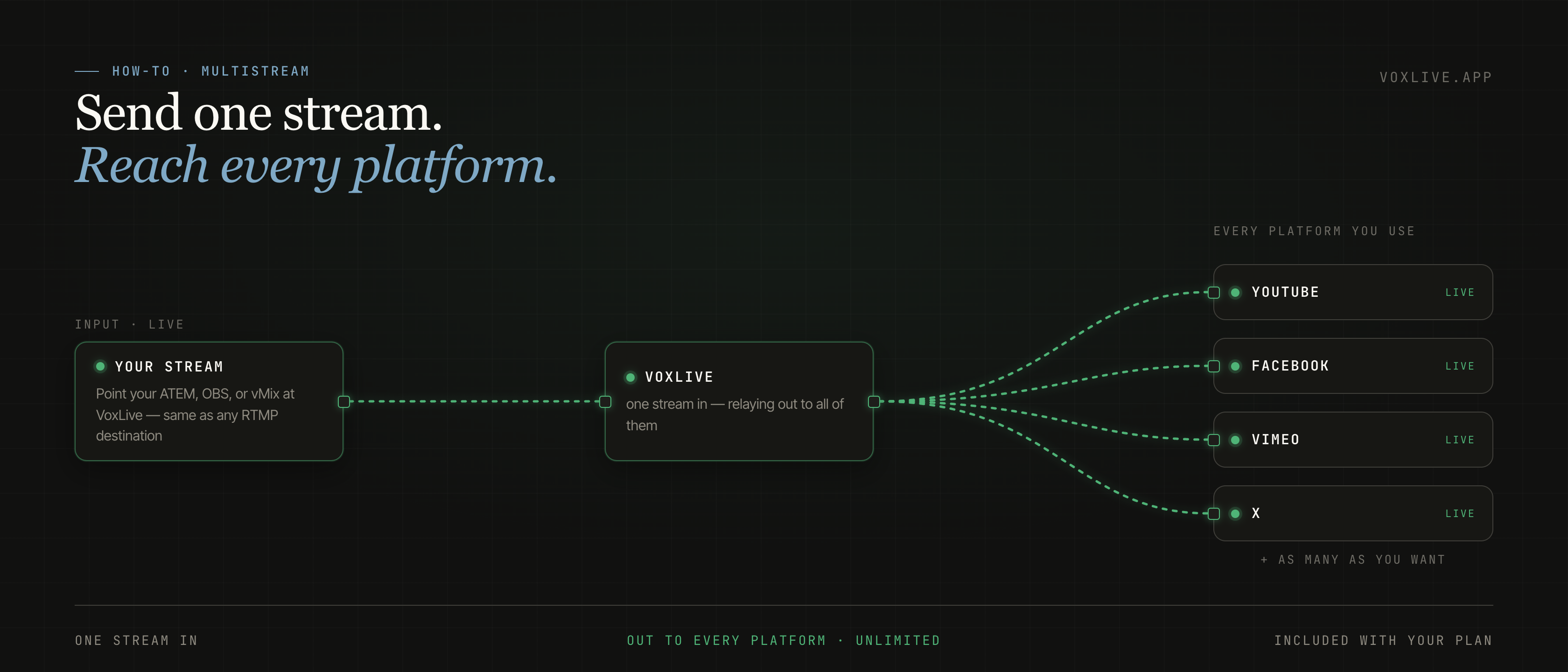
Multistream is live, and it's included with your plan. Send VoxLive one stream, and we send it back out to YouTube, Facebook, and every other platform you use — as many as you want, no per-channel fee and no second subscription. You already push us one stream so your congregation can follow the service; now that same stream reaches everywhere you broadcast. We've been running it at our own church through the beta. If you pay for a separate restreaming tool today, you can cancel it.
01 — What it isSend one stream, reach every platform.
Multistream is the reverse of connecting your livestream. Instead of VoxLive listening to a stream you produce, you push one stream to VoxLive — you add VoxLive as a destination in your encoder, the same way you added YouTube — and VoxLive sends that one stream out to every platform you connect: YouTube, Facebook, and anywhere else you broadcast.
Your AV team doesn't learn anything new. They already know how to add a streaming destination, and that's the whole job. The stream you send is the stream that goes out — same quality, same picture. VoxLive just passes it along to the platforms you choose.
02 — What it costsNothing extra, and no per-channel fee.
Most restreaming tools charge you by the channel. Restream, for example, is $19/mo for three channels and $49/mo for five, as of July 2026 — the more platforms you want to reach, the more you pay.
VoxLive doesn't work that way. Multistream is already part of your plan, and there's no cap on how many platforms you reach — connect as many as you want. So if you're paying for a separate restreaming tool today, this is a bill you can drop.
Most restreaming tools charge you per channel. With VoxLive it's already in your plan, and you can connect as many platforms as you want.
03 — How to add a platformAbout two minutes each.
- Open Multistream.It's in the nav bar — every VoxLive account has it.
- Copy the platform's Server URL and Stream key.YouTube: Go Live, then Stream settings. Facebook: Live producer. It's the same key any streaming software uses.
- Paste them into VoxLive.Add the Server URL and Stream key, give it a name, and save.
- Go live once, and you're live everywhere.Send one stream to VoxLive and it goes out to every platform you added, the whole time you're broadcasting.
04 — Common questionsThe things people ask.
Does this change our stream quality? No. You send us the same stream you already produce, and we pass it along unchanged. Your viewers see exactly what they see now.
How many platforms can we reach? As many as you want — there's no limit tied to your plan. It's included at every tier.
What if a platform won't accept the stream? That's almost always a wrong Server URL or Stream key. VoxLive shows you the platform's own reason, so you can fix it in a few seconds instead of guessing.
Want to try it in your own room? Start free — the trial covers a real service — or run one full Sunday on the $5 First Sunday Pass and decide from there. Already on VoxLive? Open Multistream from the nav and add your first platform.
One stream in. Everywhere out.
Included with every plan — no per-destination fees, no separate restreaming subscription. Set up in about two minutes per platform.